


Balão do usuário

Por
Fábio
Votação do Melhor Balão 21 votos
-
1. Qual foi o melhor?
-
Mike CH - "Não rola uma do Vascão aí não?"1
-
Aolynthon - "É pra combinar com o chapéu!?"1
-
Fabão - "Oba! Mais 20 dessas e eu troco por uma do São Paulo!"8
-
E.R - "E a bolsa que me prometeu, Clô?"1
-
Motodoido CH - "Eu queria uma do Obina!"1
-
Alison - "Legal, mas cadê a do famoso timão?"1
-
Chapolin Gremista - "Legal! Agora só falta o revólver."7
-
Homem Nuclear - "Agora vou pro baile funk."1
-
Por favor entre ou registre-se para votar na enquete.
Featured Replies
- Anterior
- 1
- 2
- Próxima
- Página 2 de 2
- Anterior
- 1
- 2
- Próxima
- Página 2 de 2

Este tópico está impedido de receber novos posts.
Seguidores
Atividades
-
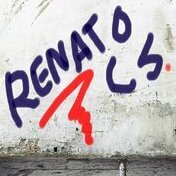 Sábado 21 de marzo: El Chavo ✔️ Episodio 269 (1979): La casa del Sr. Barriga pt.1 ✔️ Episodio 270 (1979): La casa del Sr. Barriga pt.2 ✔️ Episodio 272 (1979): La casa del Sr. Barriga pt.3
 -
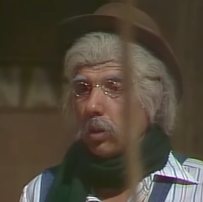 Eu estava falando do episódio do curto circuito porque a minha resposta foi mesclada
 -
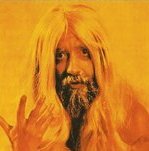 Fala pessoal, no vídeo de hoje confiram um unboxing dos pôsteres do tri carioca do Mengão!!! Já deixa o like e se inscrevam no canal!!!
 -
.thumb.png.1a44bac7d543c13ab560f99a6927bb0f.png) Tava com remendo? A edição que a rede exibiu era puro Lote Novo
Tava com remendo? A edição que a rede exibiu era puro Lote Novo -
.thumb.jpg.2e6f32af8b05448758fba1328e3b212b.jpg) Seu Artério respondeu ao tópico de Clark Kent em Venda da EsquinaObrigado, Felca!
Seu Artério respondeu ao tópico de Clark Kent em Venda da EsquinaObrigado, Felca!

Quem Está Navegando 0
- Nenhum usuário registrado visualizando esta página.